Sales, sale items, receipts, revenue, inventory sold state and transaction history stay together.
Optic Data | Card Shop Software
Trading card store software.
Trading card store software.
One shop. One system.
Every card counts.
Run your trading card shop in one place: card scanning, inventory, point of sale, eBay tools and reporting.
15-day free trial | $99.99/month after trial | Unlimited cards and images
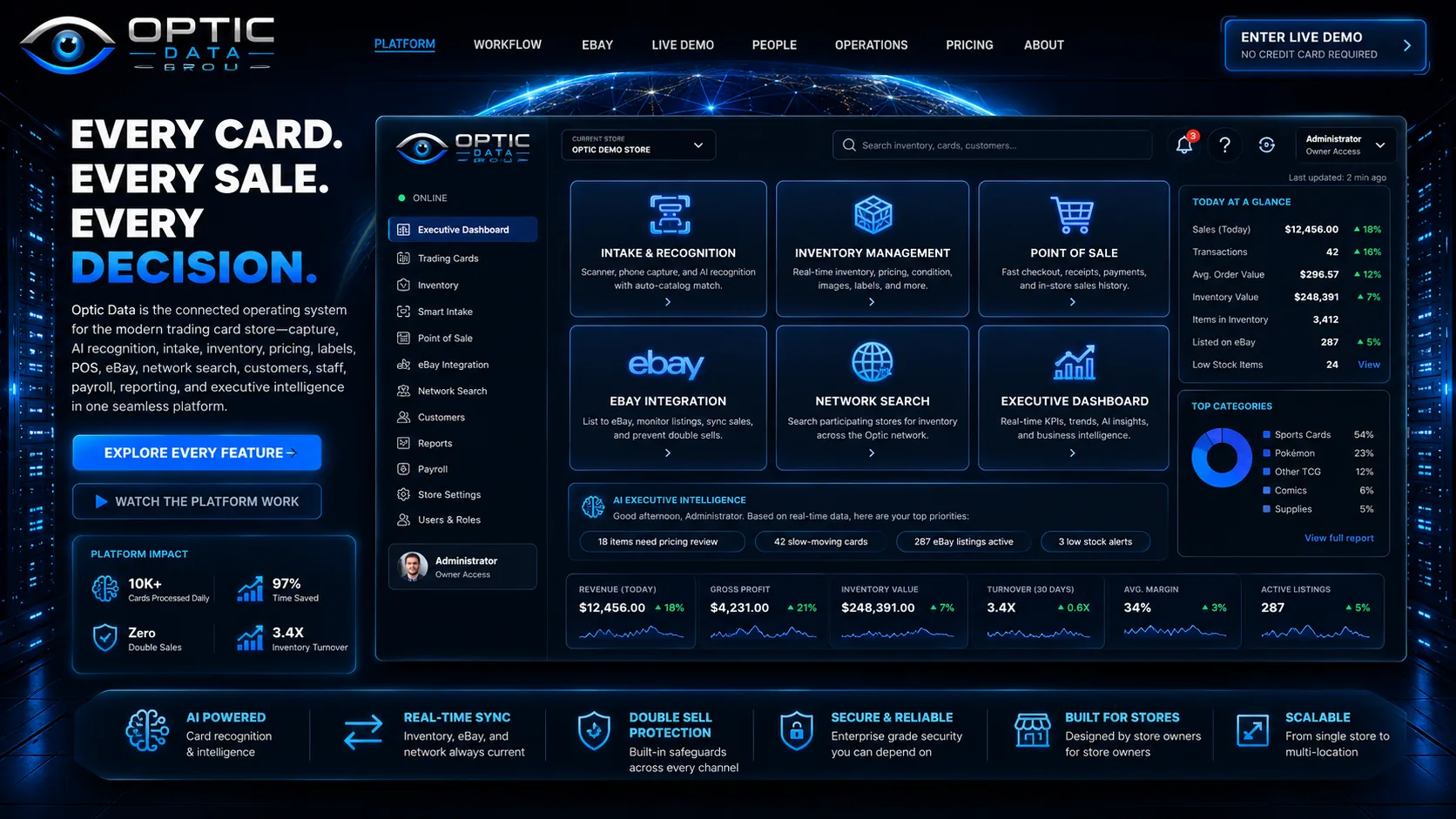
SCANNER AI RECOGNITION SMART INTAKE INVENTORY QR LABELS POS eBAY SYNC NETWORK SEARCH CUSTOMERS PAYROLL REPORTING EXECUTIVE AI
Physical-to-digital workflow
Watch a physical card move through the entire business.
This is the path a real store follows: capture, recognize, verify, label, operate, sell and learn from the transaction.
Guided job: receive a stack
Capture the card
Feed one card or a stack through the scanner, or switch to phone/camera capture.
OPTIC CAPTURE
AI RecognitionIdentity condition confidence
Smart IntakeVerify price locate
QR + InventoryPhysical digital
POS / eBaySell once sync state
CAPTURE READY
Waiting for card input
Bidirectional eBay control
Sell once. Synchronize everywhere.
The important part is not ay integration. The important part is what happens when the physical card sells in either channel.
Double-sale protection
One physical card. One source of truth.
Publish from Optic
Select the card, confirm the listing, publish to the store's eBay account and retain the eBay listing/offer identity on the Optic inventory record.
- Optic inventory remains the physical-card record.
- Marketplace IDs stay attached to the card.
- The listing can be managed later from Optic.
OPTIC INVENTORYAVAILABLEPhysical card store price eBay IDs
eBAYLIVE LISTINGOffer listing marketplace order
SOLD STATEONE RECORDBoth selling paths converge here
DOUBLE-SALE PROTECTION ACTIVE
Live product walkthrough
Click the job. Read the real Optic interface.
Six guided product scenes. The controls sit in two rows of three so the software screen stays large and readable. Use Expand View for a near full-screen inspection.
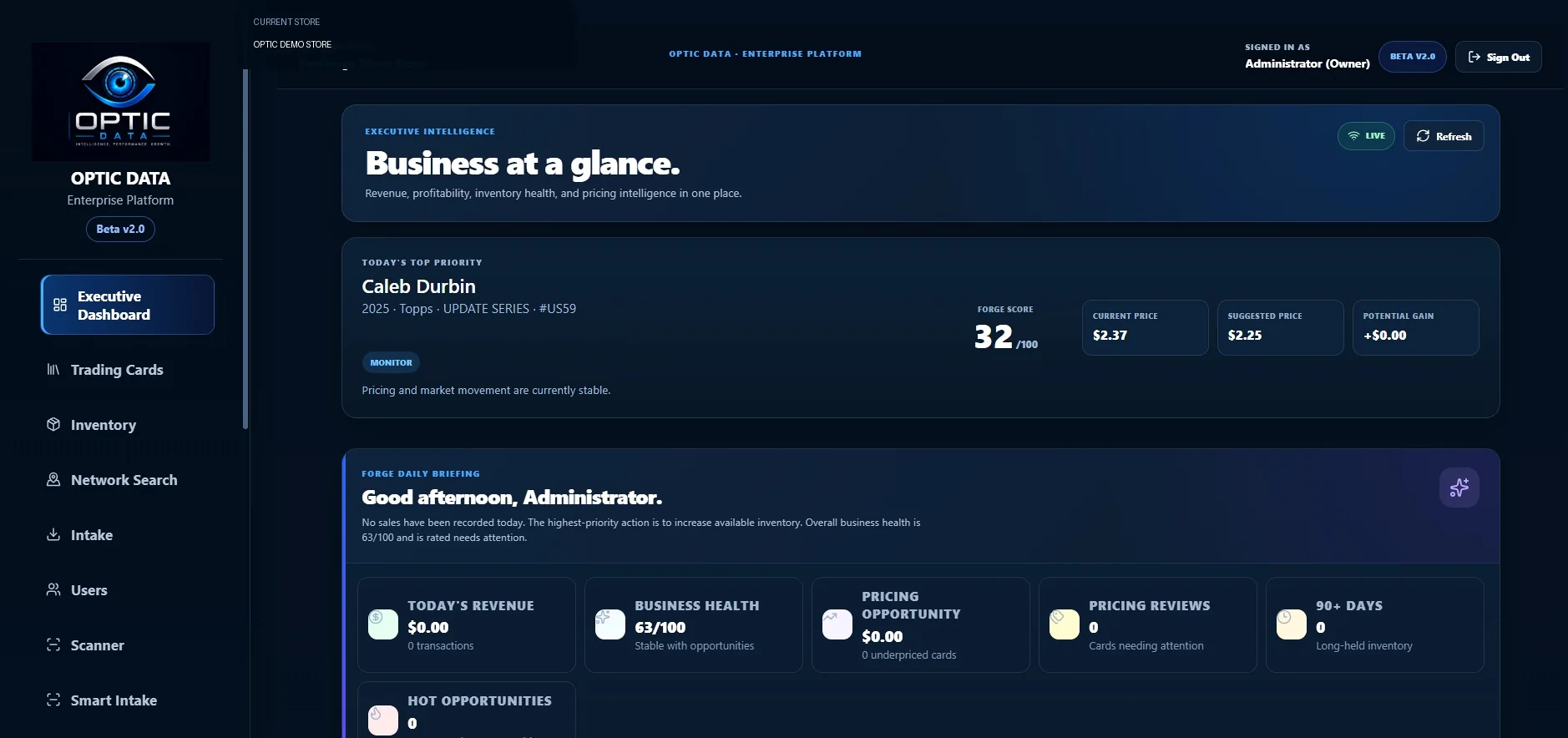
What this does
Turns current store data into the next action instead of another report to interpret.
People + permissions
Give employees the access they need t the keys to everything.
The public simulator below shows the design principle: destructive, marketplace and administrative controls stay behind the right roles.
Back-office consolidation
Stop stitching the store together with separate daily systems.
For supported workflows, sales, employee records, payroll operations, employer/tax data, reporting, inventory and marketplace activity live inside the same store platform.
Employee payroll profiles, periods, runs, adjustments, approvals, deposits, liabilities and snapshots live in Optic.
Federal/state payroll settings, employer profiles, liabilities, deposits and year-end snapshots stay attached to the store.
Operational activity feeds trends, inventory health, pricing opportunity, recent sales and executive recommendations.
What this replaces
For day-to-day supported operations, Optic can become the store's operating and accounting hub.
Inventory, sales, sold-state history, receipts, payroll operations, tax/employer records and reporting use the same store data instead of forcing the owner to maintain separate copies of the business in different daily systems.
Frequently asked questions
Answers before you commit.
Understand the product and what to verify during a demo.
What does Optic Data cost?
Optic Data currently advertises $99.99/month for the full platform, unlimited cards and images, and a 15-day free trial. Review the payment terms during signup.
Can I bring my existing inventory?
Inventory import options depend on the source and available data. Contact Optic Data before migrating so field mapping and image handling can be checked.
What scanners and phones work?
Supported camera, QR and scanner workflows depend on the device and connection method. Test your existing hardware in a demonstration before purchasing.
How does eBay synchronization work?
Optic Data has eBay publishing and listing-management workflows. Confirm your store's connection and current synchronization capabilities during onboarding.
Does Optic Data calculate and file every payroll tax?
No universal tax-filing coverage is promised. Verify supported payroll and tax functions for your jurisdiction with the team before relying on them.
Feedback from early store participants
Built with input from card shops.
These participating stores requested anonymity. Their statements are shared with permission; no store identities or images are disclosed.
Running a card shop means keeping up with inventory, pricing, sales, and everything that happens throughout the day. What attracted us to Optic Data was the idea of bringing those responsibilities together in one system. The inventory tools, card recognition, and connected workflows have the potential to make managing a growing collection much easier. We're excited to be part of the early group helping shape software built specifically for stores like ours.
Technology should make running a card business easier, not create more work. That's what we like about the direction Optic Data is taking. From identifying cards and organizing inventory to finding the information you need when a customer walks in, it's designed around how card shops actually operate. Being involved in the early testing also gives us an opportunity to provide feedback and help build something that can benefit the entire hobby.
Every card shop owner knows how much time can go into tracking inventory, updating prices, and keeping everything organized. Optic Data is working toward something the hobby has needed for a long time: one place to manage the business instead of juggling multiple systems. We're especially interested in the possibilities for inventory organization, marketplace connections, and making day-to-day operations more efficient. It's exciting to have a voice in the development of a platform focused on independent card shops.
Compare your options
Choosing trading card shop software?
Use our practical checklist to compare inventory, checkout, marketplace workflow, hardware and total cost without relying on inflated feature claims.

From the first scan to the owner's next decision.
The goal of this walkthrough is simple: a store owner should understand exactly what Optic does, how the workflows connect and why the platform changes the way the store operates thout needing a physical demonstration.
Demo / Sign In